The family chore list that lives in your own calendar.
Family Tasks turns a shared calendar into a daily task list for the whole household — colour-coded per person, ticked off from the kitchen tablet, and stored on your server rather than ours.
What it does
Built for a tablet on the kitchen counter that everybody walks past.
A list for today
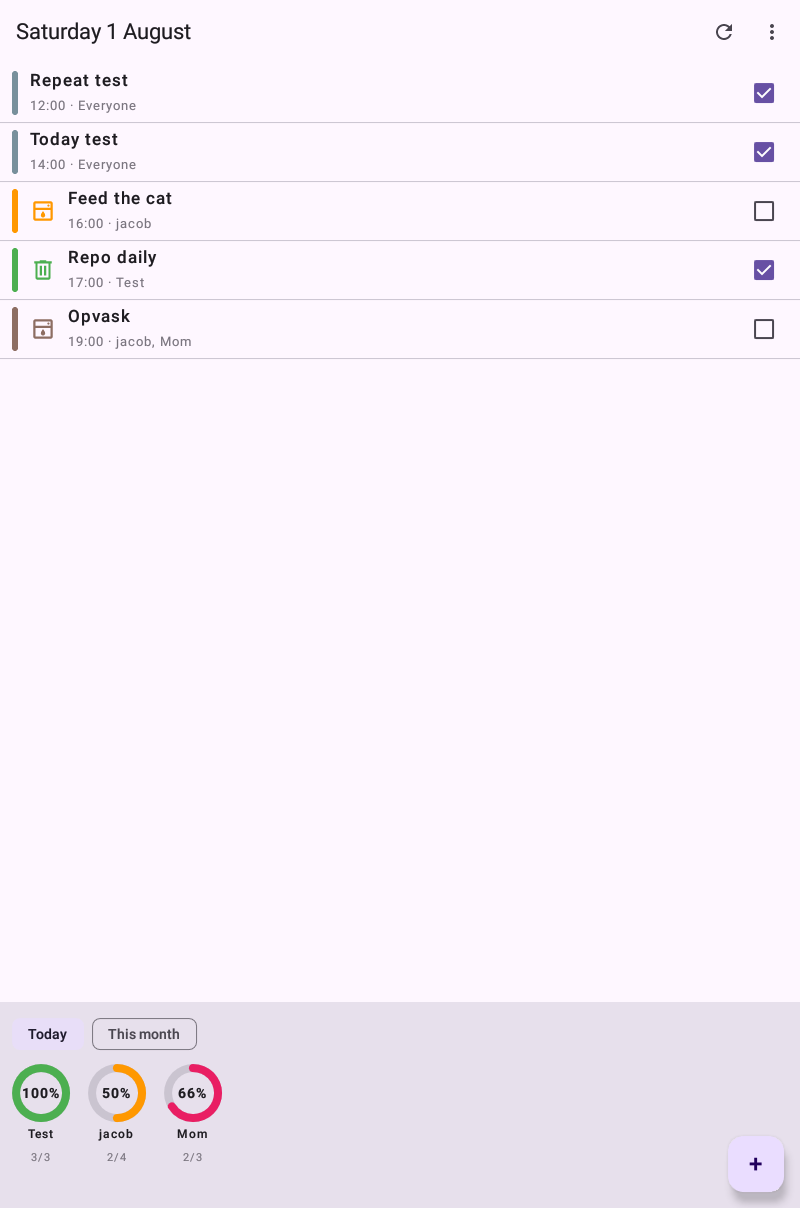
Only what is due today, sorted by time, each row coloured by whoever it belongs to. Completed chores stay on the list with a tick rather than disappearing.
Browse any day
Step back to yesterday or ahead to next week — nearby days are cached, so moving between them is instant. Future days are read-only; a past day can still be ticked behind the parent PIN, for the chore that was done late last night.
Repeating chores done properly
Ticking today's bins does not tick next week's. Each occurrence is completed on its own, so a daily chore is waiting again tomorrow.
Linked chores
Some jobs go together. Link two chores and ticking one ticks the other — even when its partner is days ahead — so "make the lunches" and "pack the school bags" stay in step.
Everyone has a colour
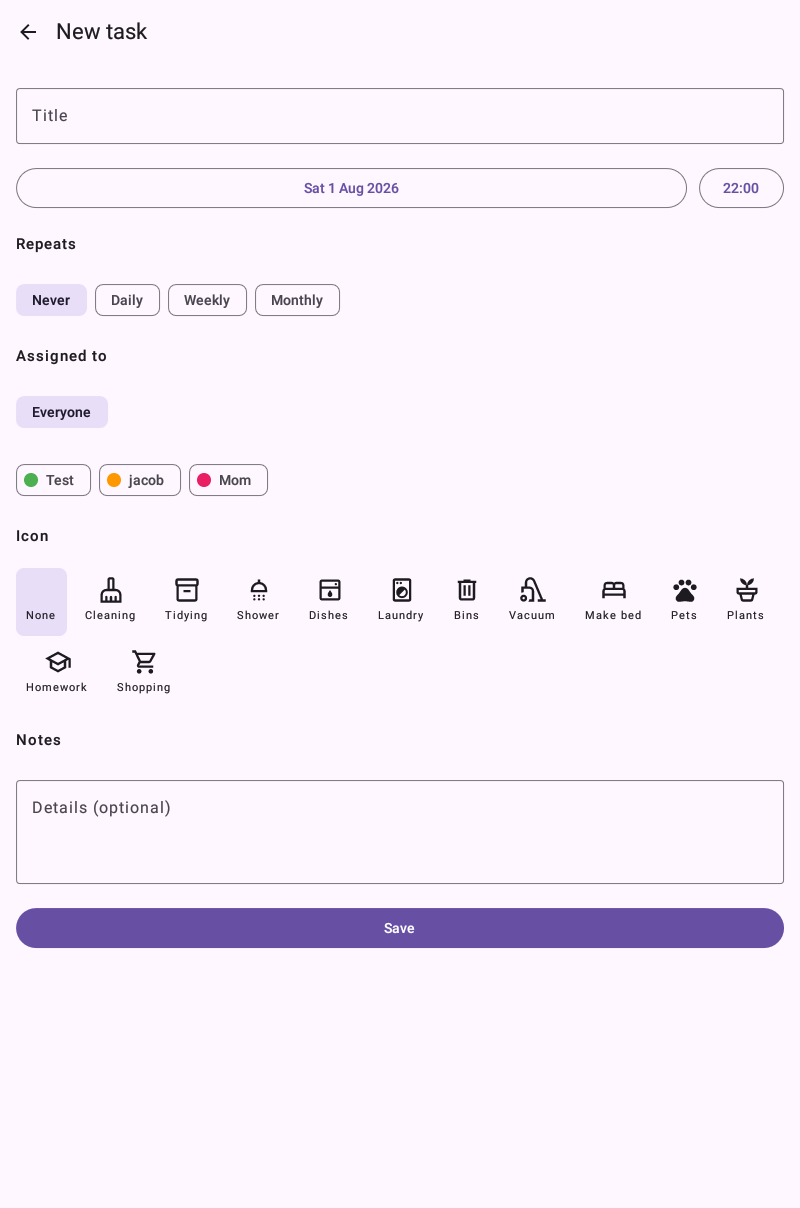
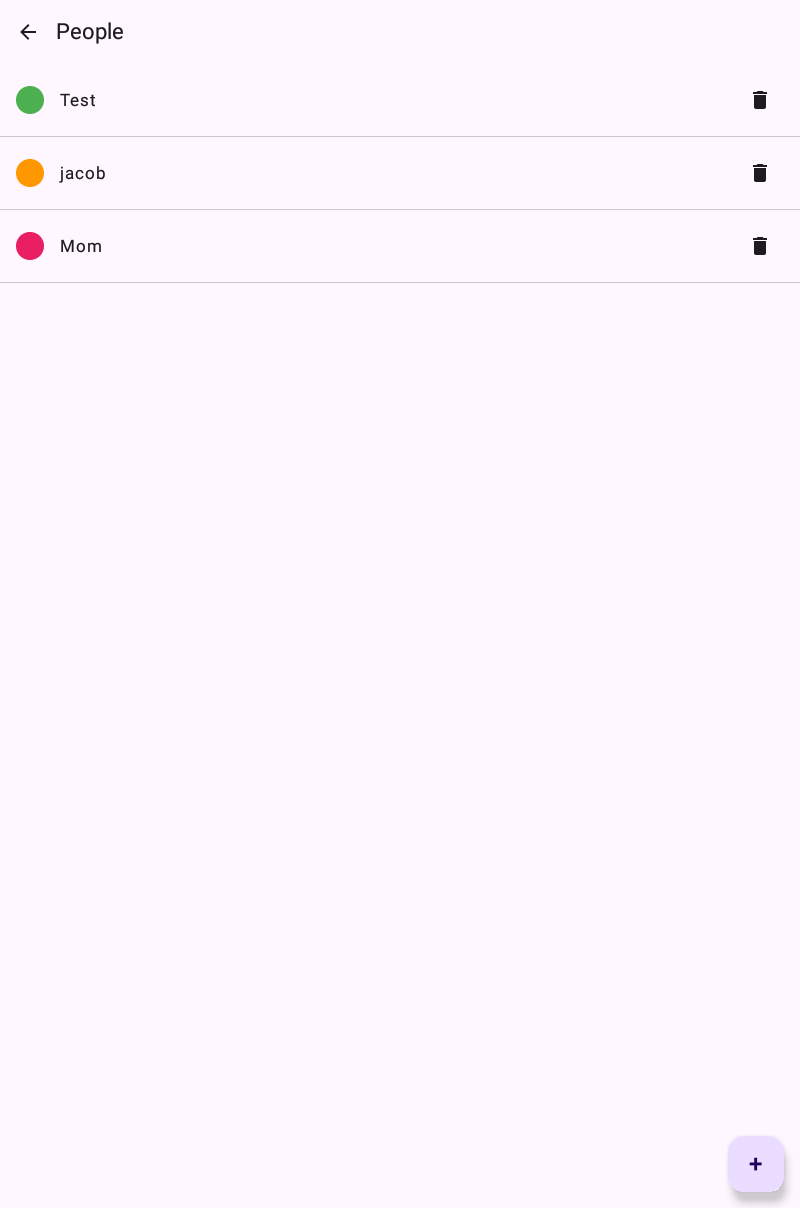
Give each family member a name and a colour. Tasks can go to one person, several, or the whole household.
Scores and a monthly goal
A completion ring per person for today and for the month. Shared chores count towards everybody, so nobody reaches 100% while the bins are still out.
A parent PIN
Anyone can tick a chore off. Creating, editing and deleting sit behind a PIN, so the shower task cannot quietly disappear.
Icons and notes
Pick an icon for the chore and add a line of detail — which detergent, how much food — visible when a task is tapped.
Multi-day chores
Some tasks aren't a single day — "walk the dog by Wednesday" shows on every day of its window, flags the last one, and counts on whichever day it actually gets done.
History that stays put
Deleting a repeating chore stops it from the day you're viewing onwards and leaves the weeks before — and every tick already earned — untouched. Editing one splits it, so last month's scores never change under your feet.
A parent PIN, recoverable
Forgot the PIN? A one-time code is emailed or written into the calendar — without ever invalidating the PIN that's already working.
New here? Read the full guide to setting the app up and using it day to day.
How it works
There is no Family Tasks account, because there is no Family Tasks server.
- Tasks are calendar events. Each chore is an ordinary event in a calendar you already own. Recurrence, reminders and sync come from the calendar itself.
- One shared account, several tablets. Every device points at the same calendar, so a chore ticked in the kitchen is ticked in the hallway.
- Settings travel with the calendar. People, colours, the goal and the parent PIN live alongside the tasks, so a new tablet picks them up on its own.
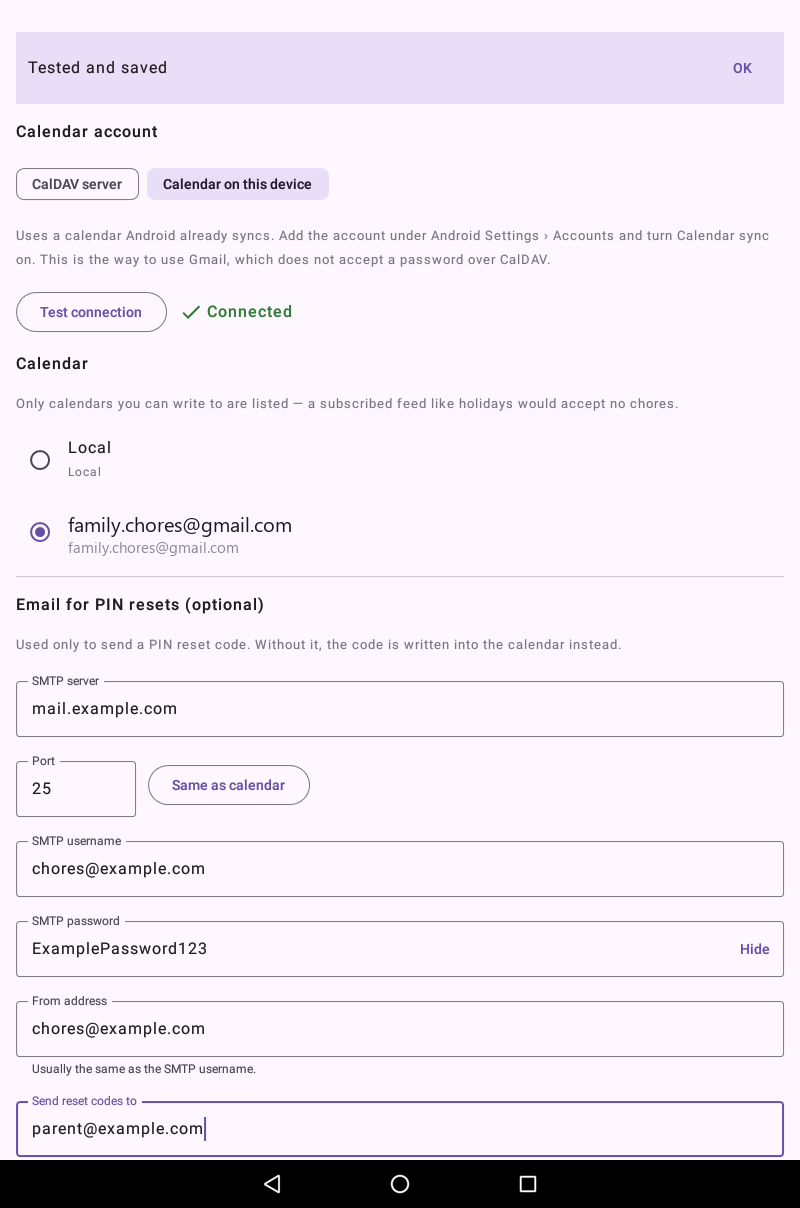
- Two ways to connect. Either the app speaks CalDAV directly to a server you configure, or it reads and writes a calendar Android already syncs on the device — your own choice, made once in Settings.
What you need
An Android device, and a calendar — either your own server, or one already on the device.
- Android 6.0 (Marshmallow) or newer. It is built and tested on old hardware on purpose — a retired tablet makes an ideal kitchen display.
- Option A — a CalDAV calendar with username-and-password sign-in. Nextcloud, Fastmail, iCloud (with an app-specific password), mailbox.org, Posteo, Radicale, Baikal, SOGo, Zimbra and grommunio all work this way.
- Option B — a calendar Android already syncs on the device, added the normal way under Android's own Settings › Accounts. This is how the app reaches Gmail: Google's CalDAV endpoint requires OAuth sign-in, which the app deliberately does not implement, so it lets the device handle that account instead and just reads and writes the calendar Android keeps in sync.
- Optionally an SMTP server, only if you want PIN reset codes and the monthly summary sent by email. Without it, reset codes are written into the calendar instead.
Since March 2025 Google has required OAuth for CalDAV, so a password or app password is refused there regardless of the app. Pick "Calendar on this device" in Settings instead, with the Gmail account already added and syncing in Android — this route is tested and confirmed working. Outlook.com and Microsoft 365 no longer expose CalDAV at all; the same device route should work for them too if Android is syncing that account's calendar, but that combination hasn't been tested.
Privacy, briefly
The long version is on the privacy page.
- Nothing is collected. There is no analytics, no advertising and no crash reporting in the app.
- Your tasks go to your calendar. Either directly to the server you configure, or through Android's own calendar sync if you pick a device calendar — plus an email server, only if you choose to set one up. Nowhere else.
- Internet access always; calendar access only if you choose a device calendar. No contacts, no location, no files, no camera, either way.
- Passwords stay on the device, held in Android's encrypted storage. There is no password at all when using a device calendar — Android holds that sign-in.